Your deal library, inside  Claude.
Connect Realastat to Claude and ask about your deals with your live numbers in the conversation.
CLAUDE INSTRUCTIONS
Open Claude
Go to Customize → Connectors → + → Add Custom Connector
Paste this URL:
https://realastat.ai/api/mcpTools Claude can call
See it in action
Ask Claude about your deals
Claude reads your live Realastat data and answers with your numbers.
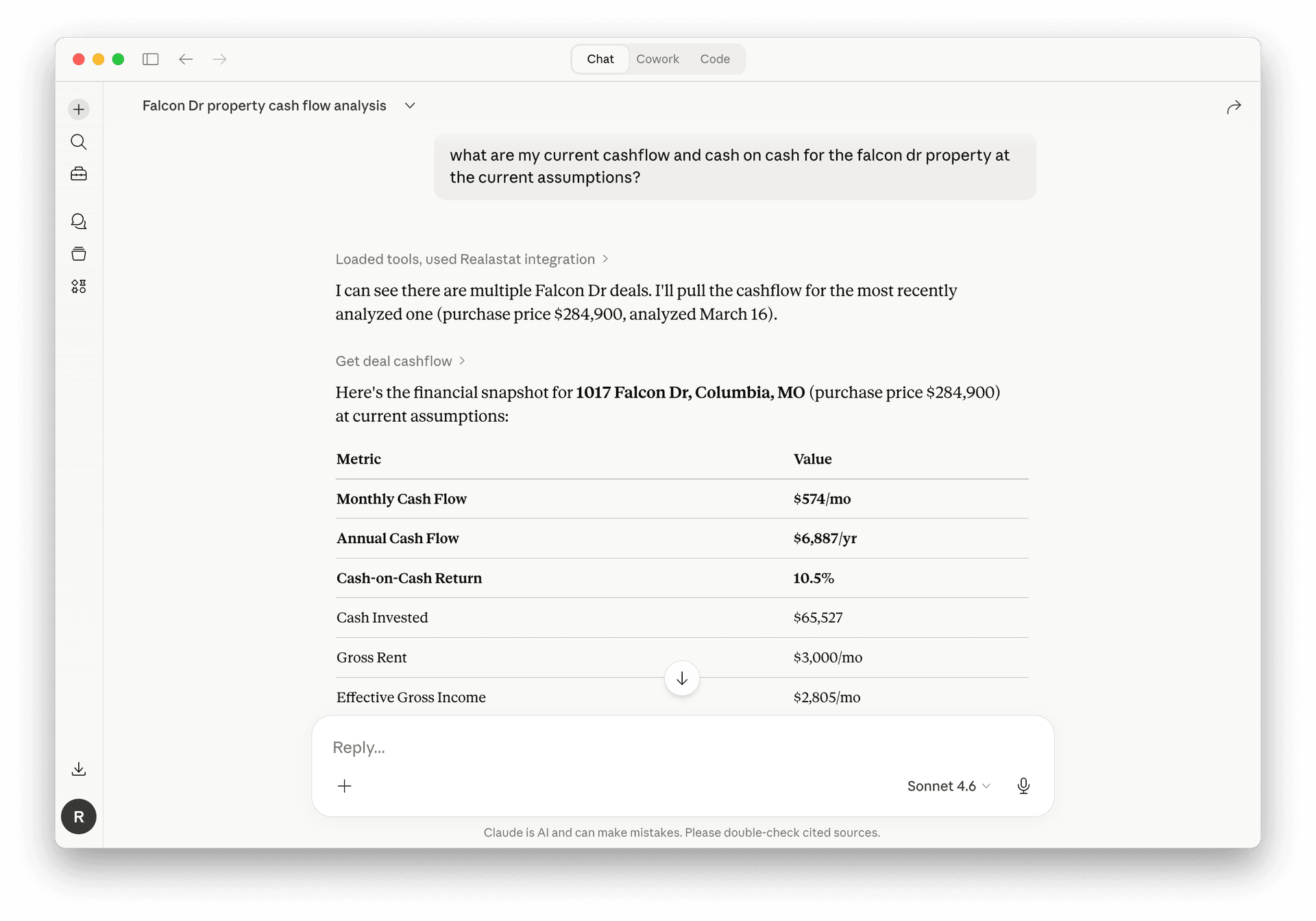
Cash flow on any saved deal.
Ask Claude about a property by name and it pulls your full underwriting: monthly and annual cash flow, cash-on-cash return, cash invested, effective gross income. You get every number the saved deal already holds without opening a tab.
"What are my current cashflow and cash on cash for the Falcon Dr property at the current assumptions?"
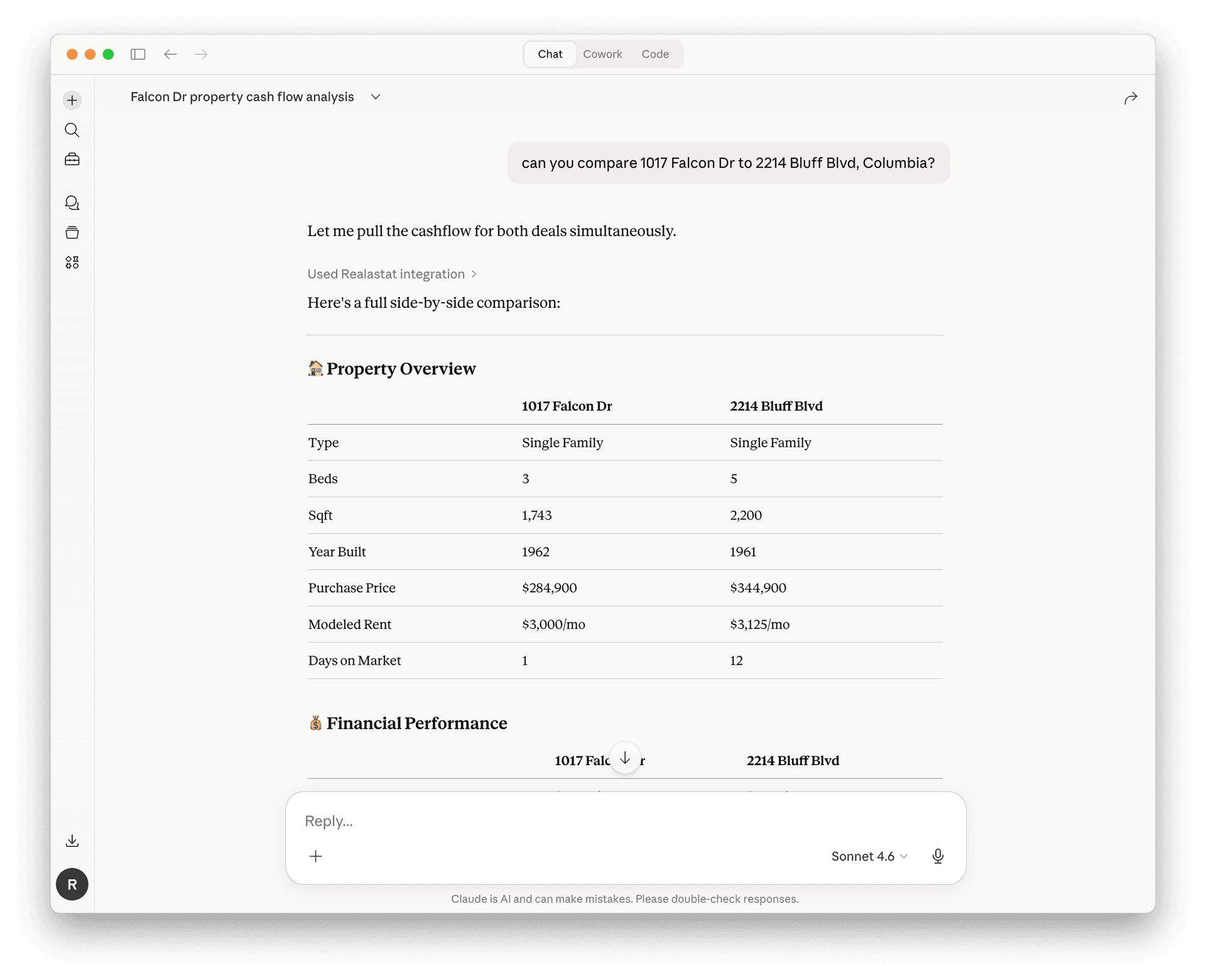
Side-by-side deal comparisons in one ask.
Claude can pull cashflow on two deals simultaneously and build a full comparison table: property overview, financial performance, and key metrics side by side. You ask in one sentence instead of switching between two spreadsheets.
"Can you compare 1017 Falcon Dr to 2214 Bluff Blvd, Columbia?"